
ThreeSweep
Switch macOS windows in half* the time
*when compared to ordinary swipe gesture & click in Mission Control
Thanks for your purchase. Your download link is on its way to your email (usually within a few minutes, valid 24 hours). If it doesn't arrive, check spam or contact support.
One-time purchase · macOS 27+ · single multitouch trackpad required
Window is active
Half the time, measured
Average time to switch windows, 30 timed runs per method.
Three-finger swipe up + click · n=30
Single swipe + release · n=30
- faster
- 2.6×
- saved per switch
- 541.5 ms
- runs per method
- 30
Default path is three finger swipe up & window click.
Features
ThreeSweep is a notarized menu bar app for single-gesture window switching.
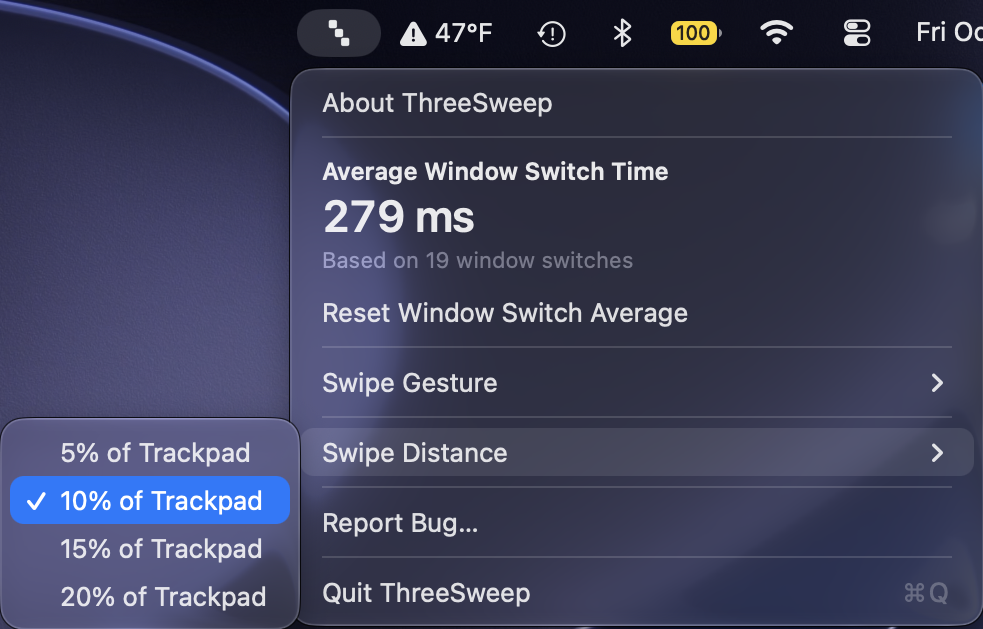
Single-gesture switching
Switch windows in one motion — no separate swipe and click.
Three or four fingers
Pick three or four fingers in the Swipe gesture menu to avoid conflict with Space switching.
Calibrated swipe sensitivity
Set how far to swipe to open Mission Control.
Installation steps
1. Download
Click the .zip download link in your purchase email. Safari may automatically unzip it to ThreeSweep.app in Downloads.
2. Move to Applications
Drag ThreeSweep.app to your Applications folder.
3. Launch
Double-click ThreeSweep.app in Applications.
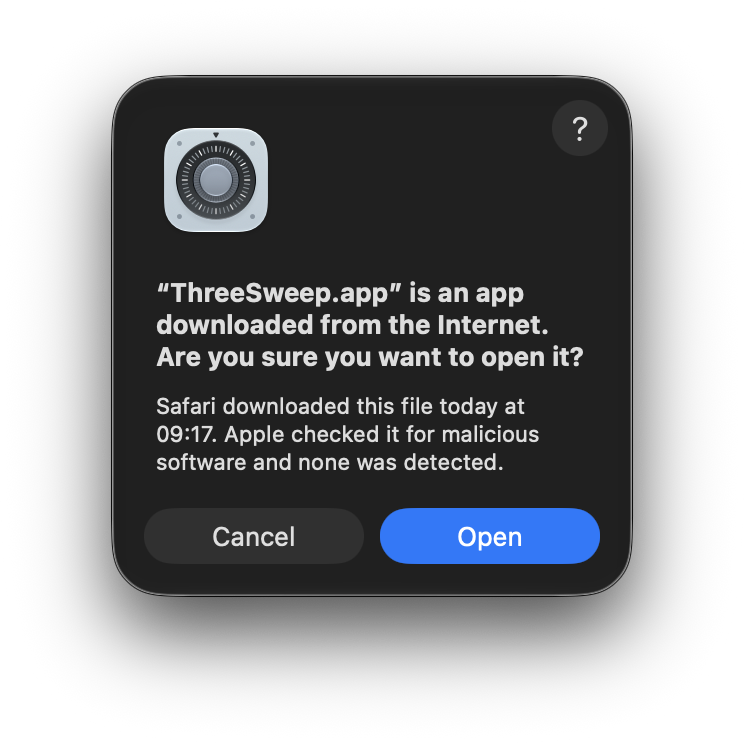
4. Click Open
macOS notifies the app was downloaded from the Internet. Click Open.
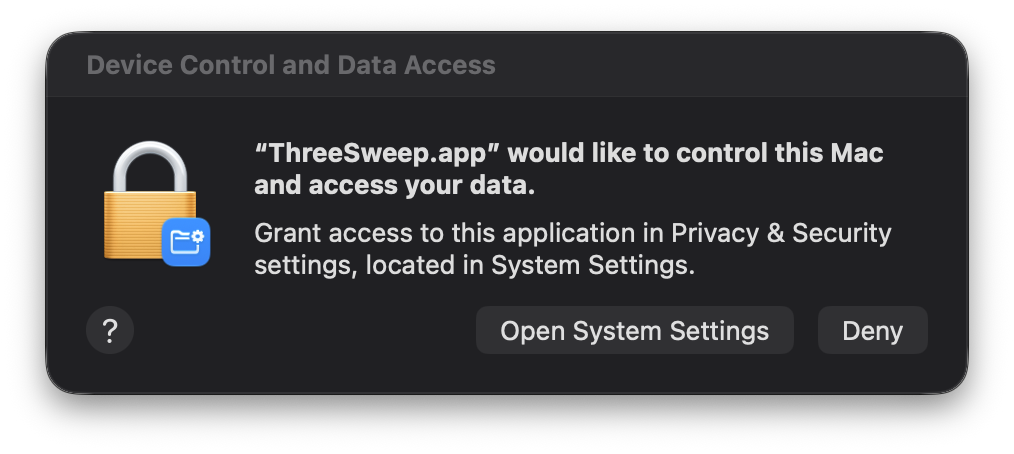
5. Click Open System Settings
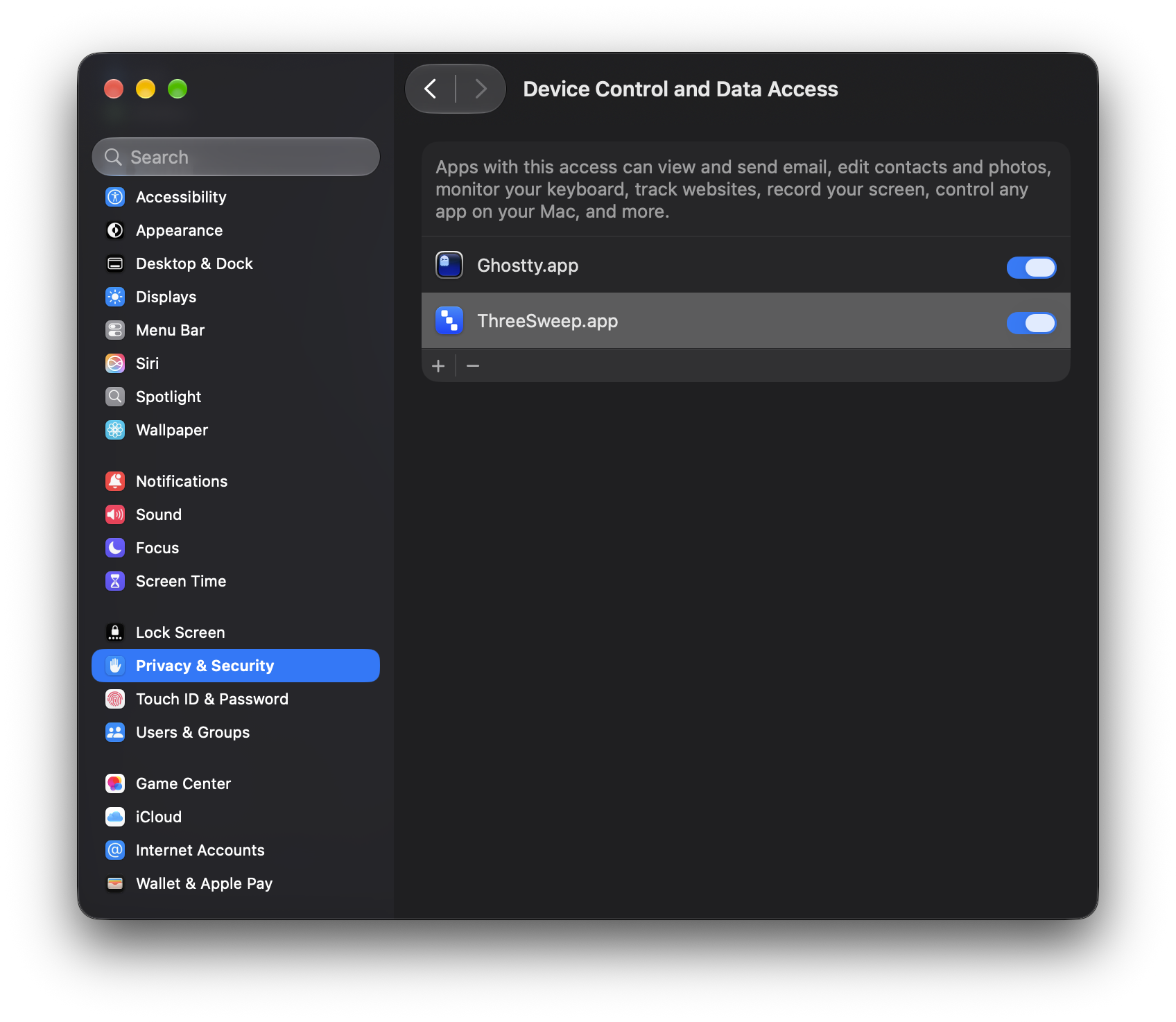
When ThreeSweep asks to control your Mac, click Open System Settings.
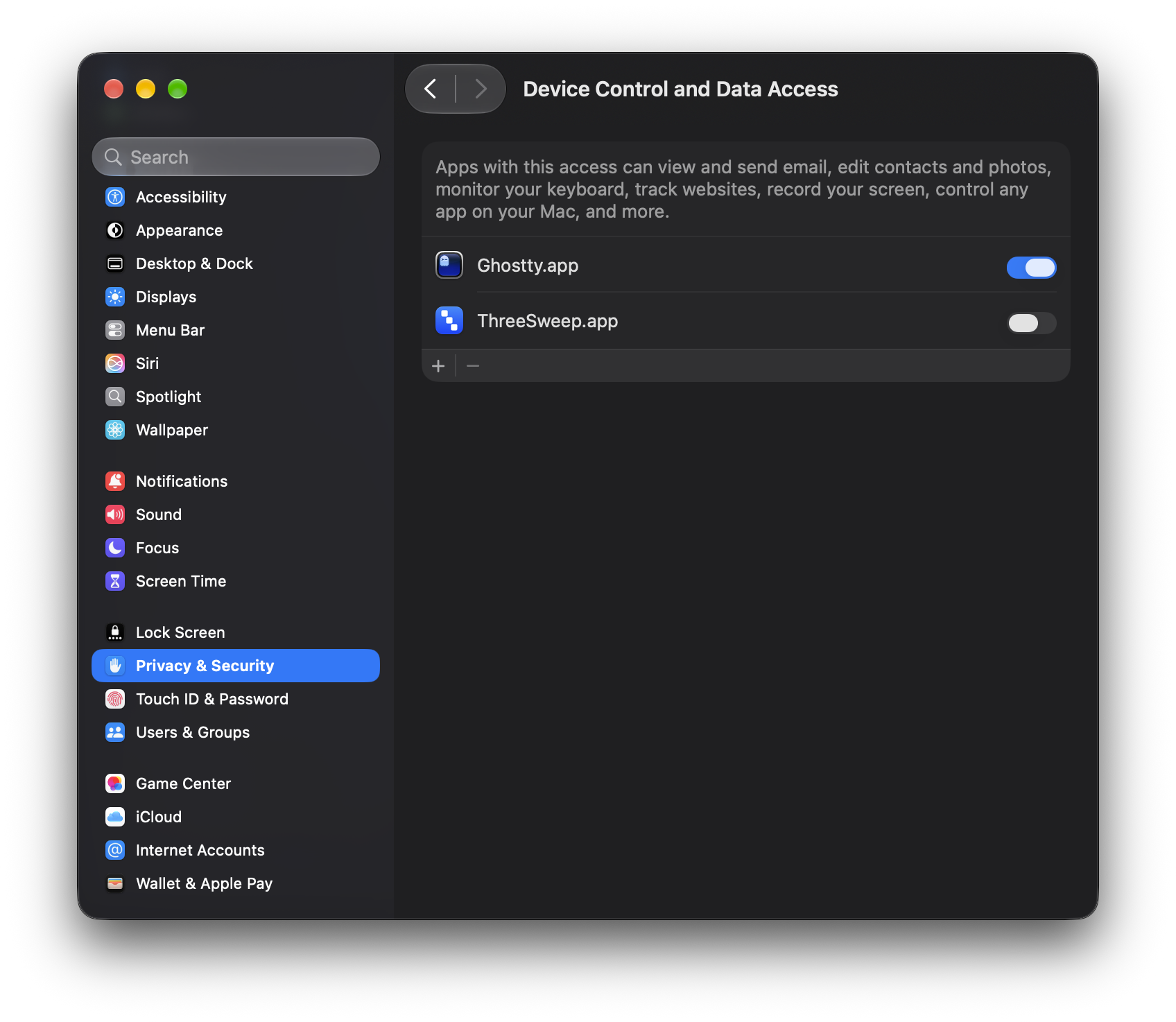
6. Toggle on
Under Privacy & Security → Device Control and Data Access, toggle the slider for ThreeSweep.app to on.
System requirements
macOS 27.0 or later
Gesture detection is calibrated on macOS 27.
Apple Silicon Mac
The current build is arm64 only.
Single multitouch trackpad
A built-in Force Touch trackpad or Magic Trackpad. ThreeSweep listens to the first multitouch trackpad it finds.
Device Control permission
Grant access when prompted under System Settings → Privacy & Security → Device Control and Data Access.
FAQ
How do I get the app after paying?
A download link will be sent to your email. If it doesn't arrive, check spam or contact support to resend.
How many Macs can I use it on?
One purchase covers you on up to 3 Macs for personal use.
Why does it need Device Control access?
To listen for the trackpad gesture and drive Mission Control. It never records your screen or keystrokes.
Does this steal my three finger swipe gesture?
ThreeSweep uses a three- or four-finger (configurable) swipe left or right to open Mission Control. If you rely on that gesture for switching Spaces, pick the other finger count in the Swipe gesture menu.
Do I get future updates?
Yes. Customers are entitled to future updates, which you will receive at the email you provided during purchase.